
Arc Apellago is a 2D side-scrolling action platformer developed by my team : Handshake Firm.
As the sole designer on the team I was tasked with developing the core gameplay experience. Along with designing all of the game systems, levels, interface, and conducting usability testing.
Throughout this page I will be showcasing my game design and UX design for Arc Apellago, and sharing with you more of my own design process. This will give you a better idea about how I view games, design, user experience, and user emotions.

Arc Apellago had a very successful launch - as a free to play experience it garnered over 100k downloads, 400+ reviews, a ‘Very Positive’ review rating, and a significant presence on YouTube.
Arc Apellago was selected for Indiecade and PAX West honors by DigiPen Institute of Technology.

Arc Apellago was developed from August 2019 to May 2020, before releasing on Steam in October 2020.
Core Gameplay
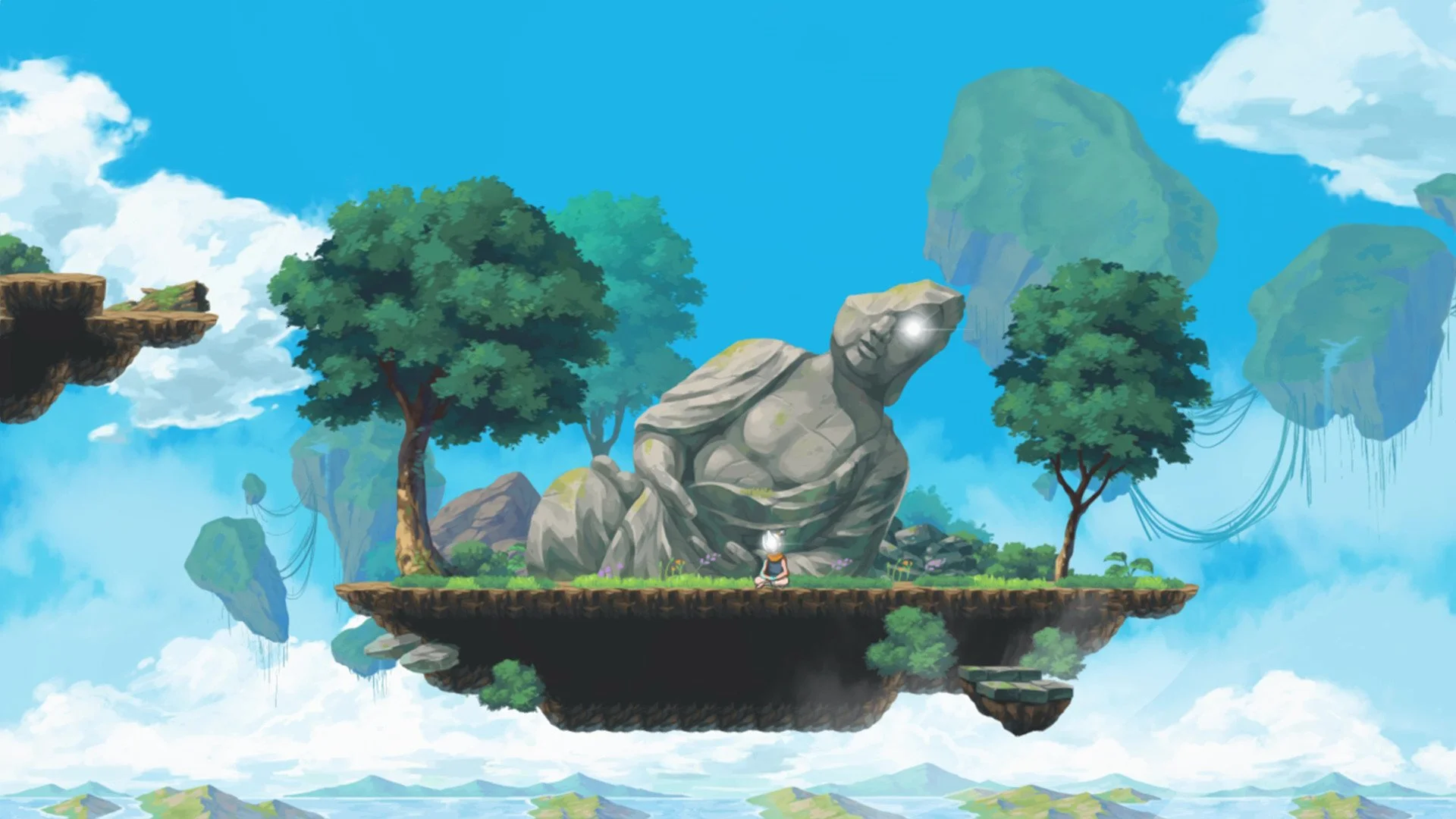
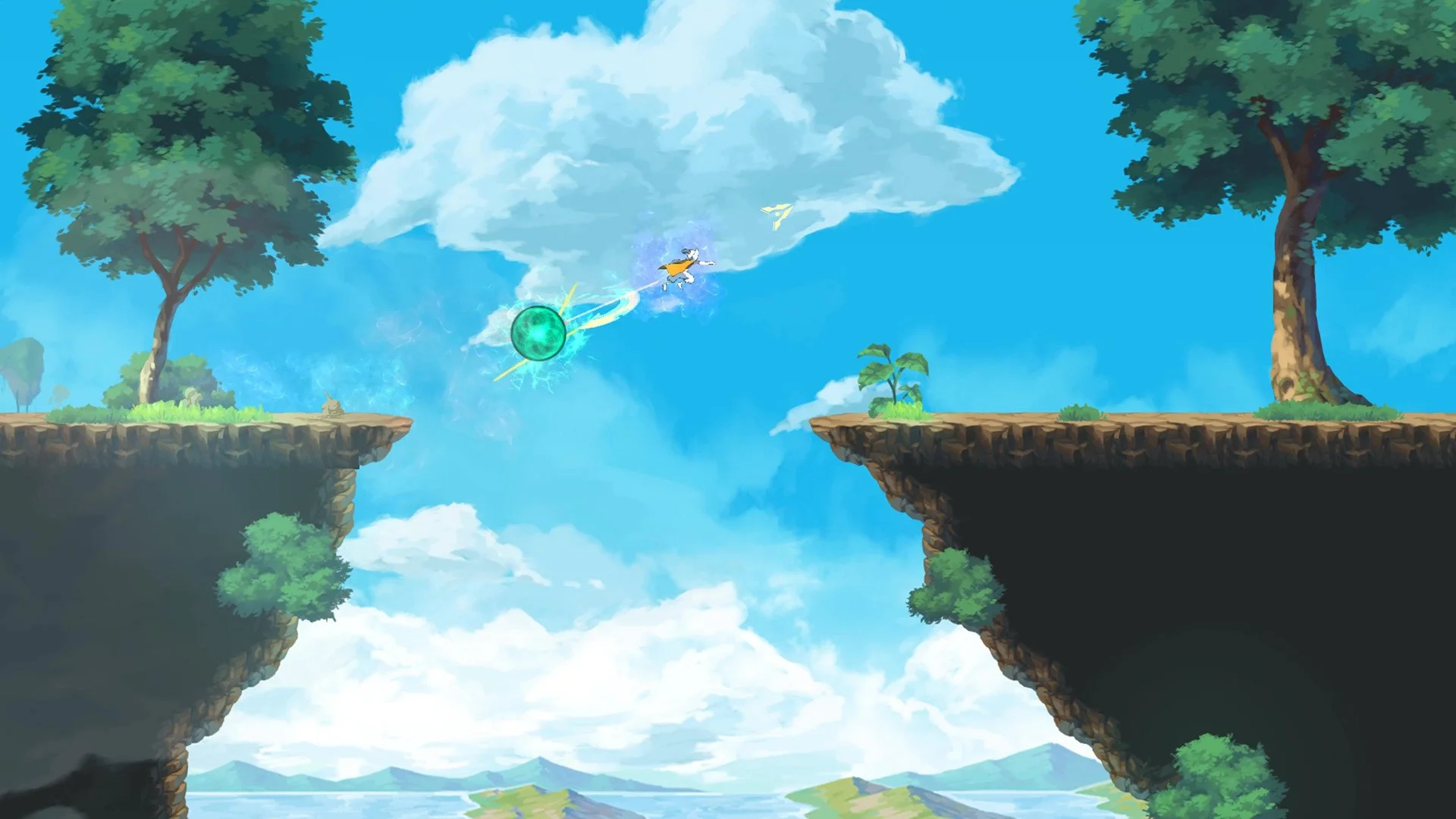
Arc Apellago was envisioned as a fast-paced, open-air platformer with fluid movement & a touch of elegance.
The game was always intended to be a tight, short experience. I wanted players to feel initially challenged by the difficulty and freedom of movement available to them - but develop their confidence through playing and feel empowered about testing their skills again.
Arc Apellago was created in a custom game engine made from scratch specifically for use on this project. There was a limited amount of time to develop both the core tech and the core gameplay simultaneously, thus we made a deliberate choice to stick with a classic, well-defined genre in order to deliver to most polished experience within our deadline.
-
The initial idea of playing as an assassin-like ninja character came from one of the team’s earlier games : DeltaBlade 2700 (which also released on Steam and similarly received IndieCade and PAX West honors).
The pillars of the core Arc Apellago experience were as follows :
Fluidity of movement. Running and jumping will feel graceful and elegant.
Ninja combat. Challenge yourself to think on your feet, react quickly, and fight cleverly.
Sky island adventure. The Arc Apellago itself carries an environmental message while being a visual showcase.
As we created our initial prototypes for Arc Apellago (which we did in GameMaker studio while the core tech & engine was being developed) we realized that although our character controller felt slick for platforming - we would need to shift our expectations around what “Ninja Combat” looked like in our game.
Sticking the player in a room full of enemies to defeat was certainly an effective strategy for DeltaBlade 2700, but was a total pacebreaker for the fast-paced platforming of Arc Apellago. Slowing the player down was in direct conflict with our Fluidity of Movement goal and really undercut a lot of the work we were doing to polish the platforming experience.
As our game engine and core tech progressed, I had to convince the rest of the team that we didn’t have the time or the resources to fully develop and polish a fluid movement system and an in depth combat system. In order to avoid cutting the combat system altogether, which the majority of the team was very against, I decided to merge the two systems - making the player’s dash/boost movement ability also function as an attack. A successful kill recharges the boost - and enemy designs were altered to function more as hostile platforming challenges that enabled more advanced and expressive player movement.
These pivots allowed us to deliver on all of our pillars effectively while creating a cohesive core loop.
Interface
⏷ Core Gameplay
The interface for Arc Apellago was not a core focus, in fact we wanted the UI to be effectively invisible.
In order to keep players immersed in the sights and sounds of the world - I decided to forego a HUD and instead express gameplay information through VFX and environmental signifiers whenever possible.
-
Using A static UI simply wasn’t effective. Players would be totally oblivious to any info displayed on the edge of the screen, as their eyes were always glued to the character. To solve this, all UI was anchored to the player character and displayed directly above their head.
Some info that was originally intended as UI was eventually changed to VFX, such as the aura around the character which indicates your boost status.
Even so, some information was necessary to display as UI. The player’s health dynamically hides itself based on when the player takes damage. The directional arrow corresponds with the direction of the analog stick, and was primarily added to help with aiming the character’s boost attack. Button prompts are shown at the beginning of the game as well to teach the gameplay inputs.
Creating a 2D “Camera”
Quite a lot of development time was spent crafting and realizing the “camera.”
Camera is listed in “quotes“ as we typically associate game cameras with 3D games ; where players have full control over the pitch, yaw, and angle at all times.
Creating a 2D “camera” comes with its own set of unique challenges. In order to create the most effective camera system for Arc Apellago - I went back in time to the roots of 2D side-scrolling to educate myself on the techniques pioneered by the game dev innovators of our time.
This section will explore 2D side-scrolling games and how the various camera solutions of the era were adapted to fit the unique needs of Arc Apellago’s players.
-
The Camera is a perfect representation of UX design in motion : A feature that players almost never seem to talk about unless it’s causing them a negative experience, or if it’s done exceedingly well.
And yet, as a designer, the camera is one of the most fundamental and integral pieces of your experience. It’s a feature you will spend countless hours testing and refining, and requires your highest attention.
The camera is the lens through which your player will view and experience every aspect of your world. It’s responsible for your players’ attention, interaction, and comfort. For a camera to be truly effective; it must delicately serve the unique needs of your gameplay, while feeling as natural to your players as breathing.
(This, unsurprisingly requires a hell of a lot of user testing and fine tuning to accomplish)
Modern gamers are very comfortable with 3D game cameras. Players have largely adjusted to the control and sensation of first & third-person cameras over years and years of reinforcement : Think for a moment, when was the last time you played a game with a truly unique first-person camera? Most modern games use the same perspectives and control exactly the same when it comes to adjusting the camera in order to keep things familiar.
And if you don’t have a good reason to switch things up, why bother confusing people?
2D cameras though are another beast. Unlike a 3D camera - the player does not typically have direct control over the direction or angle of the camera. Instead, the camera reacts to the player’s movement and actions and adjusts based on its own programmed logic. The main challenge in creating a classic 2D camera is ensuring the experience is responsive, dynamic, and comfortable without any concerned input by the player to adjust the camera.
You are basically trying to take the process of the player manually adjusting the camera to see what’s in front of them - and automating it. The game must decide for itself what the player needs to see.
-
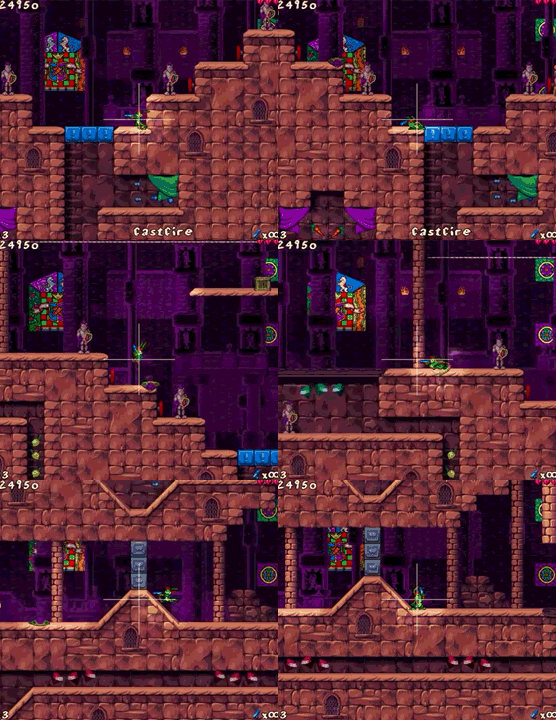
Looking back at the history of game cameras, I found that the innovators of our time found the most success by creating dynamic systems. These systems could take into account the unique limitations of their genre and player controller, and thus were most effective at creating a smooth experience.
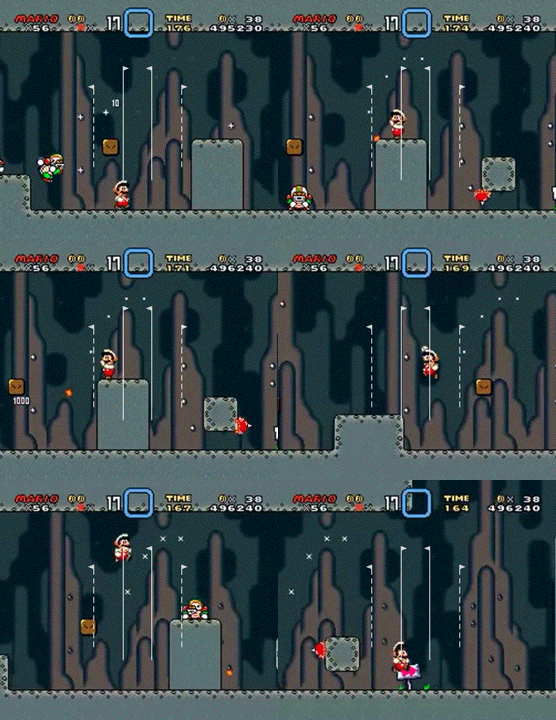
Starting with the dual-focus camera, when the player’s direction changes, the camera switches focus to enable a wide, forward view of the level. This trick was used to great effect in Super Mario World, with additional anchors to keep the camera from snapping immediately in the opposite direction when the player walks back to the left (which happens constantly in Super Mario World and Arc Apellago).
There was quite a lot of iteration within this system, but the dynamic system gave us a great base to work off of. The overall zoom level was brought out and the deadzone was adjusted to roughly the size of a wallrunning section to combat frequent camera snapping.
The Problem : Initial Camera Setup
⏷ Creating a 2D “Camera”
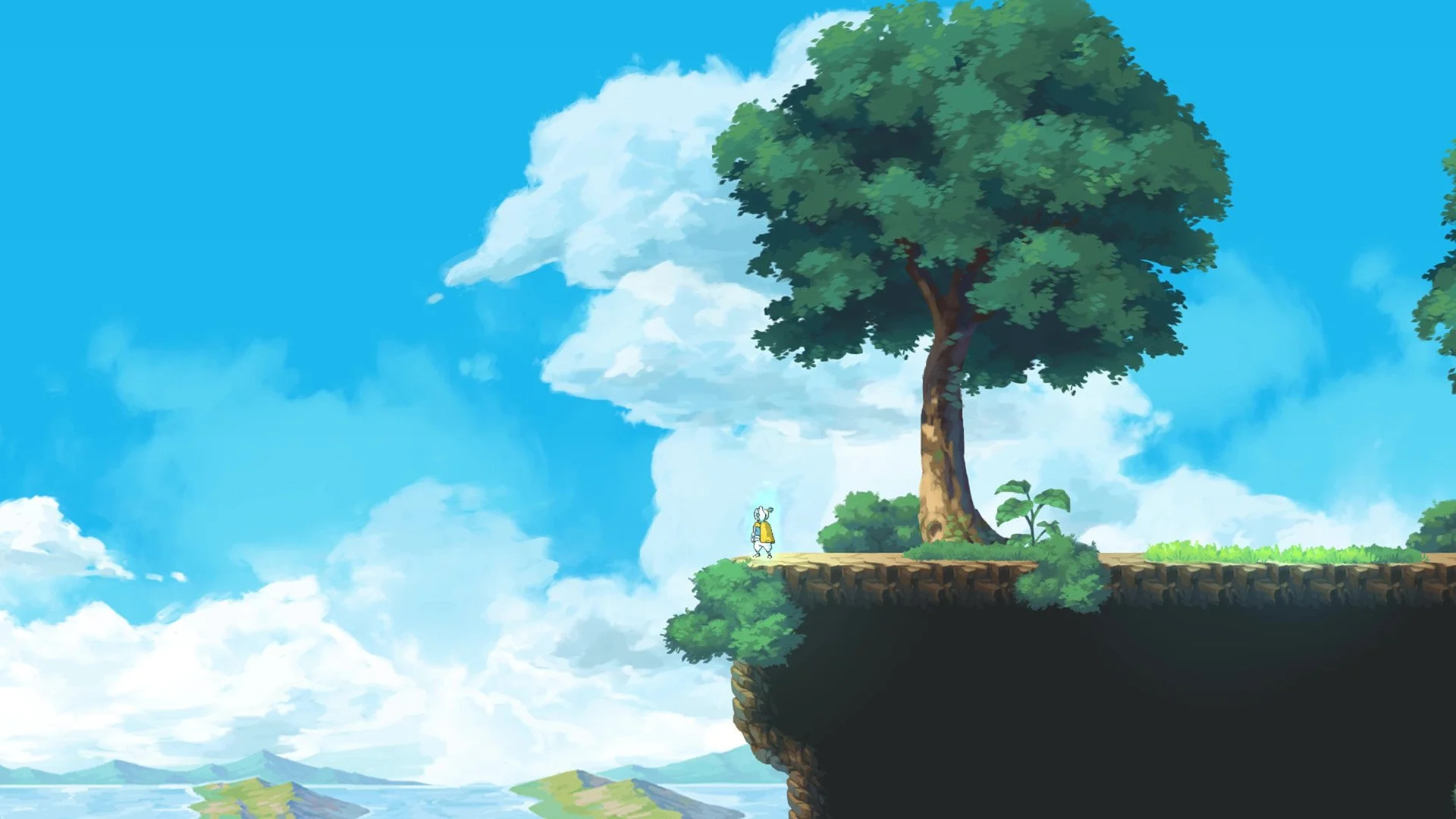
Historically, side-scrolling games have featured a position-locked camera where the character remains focused in the center of the screen.
This is the most basic camera setup and what we started with for Arc Apellago
For a game with as much active movement as Arc Apellago, it was very disorienting for players to experience the game in this way
Players found this experience to be very nerve wracking, as the limited view of the camera made it difficult to react to obstacles as they presented themselves on screen
-
With our initial camera setup, running around in test levels felt pretty nice. However, in the context of the core gameplay it was clear almost immediately that this style of camera was not going to cut it.
Players found the camera movement to be very disorienting. The character is constantly changing elevation, boosting in all directions, jumping left and right up walls, and trying to combat enemies in a fluid, ongoing process. As the camera directly followed the player, this rapid movement became a strain on players.
There was a lot of stop and go, as players were afraid of quickly traversing through the level, always wary of what was just outside the screen. All of these insights were gained from putting the game in peoples’ hands and letting them experiment on their own with no guidance or interference from the team.
The Solution : Dual - Forward - Focus_
⏷ Creating a 2D “Camera”
The approach I took to solving our players’ problem was to create a dynamic camera system.
This allowed the camera to react in real time to the player’s actions, essentially predicting what the player wants/needs to see based on their own actions
The first solution we implemented was a dual-forward-focus camera. This trick was first used to great effect in Super Mario World
Through user testing, we continuously tweaked these parameters to accommodate our gameplay loop and levels
The Iteration : Platform Snapping
⏷ Creating a 2D “Camera”
Arc Apellago is thematically centered around floating sky islands, which involves a significant amount of verticality.
This presented another difficult problem to solve for the game’s camera : The player has much more visibility in the horizontal plane than the vertical plane due to the aspect ratio of the screen (16:9).
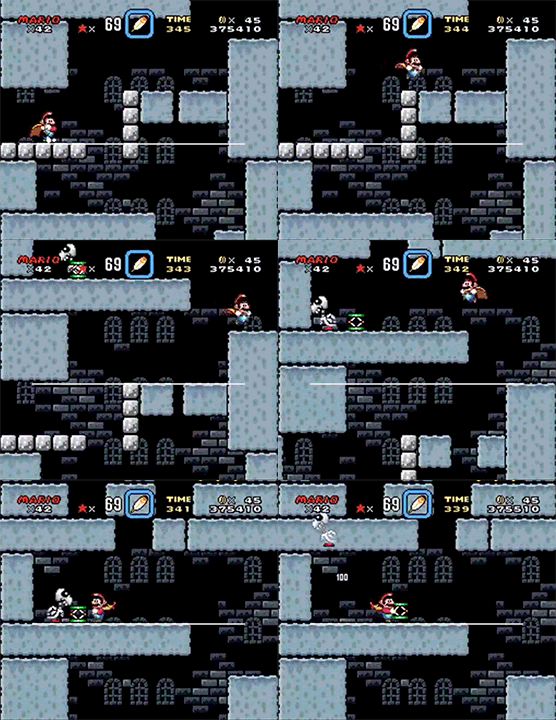
The next solution we implemented was platform snapping - the camera will stay stationary until the player lands on a platform
This is another trick lifted from Super Mario World (it was actually the first game to use this feature!)
-
Vertical positioning of the camera was a significantly more difficult problem to solve compared to horizontal positioning. Players are constantly navigating to higher platforms and even going straight up in some cases.
Though the early side-scrollers in the 80s and 90s certainly had to overcome the same issues, there is a uniquely modern element to this : Aspect Ratio.
In the past, televisions and computers displayed picture in a 4:3 aspect ratio. Games of this era were designed with this limited screen size in mind, and side-scrolling cameras definitely felt more cramped as a result.
As technology advanced, screen sizes were made larger to enable higher resolutions, and 16:9 became the new standard aspect ratio. Now, modern games are universally designed for a 16:9 aspect ratio.
Most people would agree that this is an objectively better experience for players. With a larger screen, you have a wider view of the world and can better immerse yourself into the screen. However, being a 2D platformer released in the modern day this presented a bit of a problem for us :
Because the screen size is so much wider than it is tall - as a player you inevitably have a lot less vertical awareness. Early platformers mostly got around this issue by having a tight, focused camera, and designed games with the more square shaped screen size in mind.
(You can see that the camera is far more “zoomed in” with older 4:3 platformers as compared to the 16:9 games of today)
This issue is a lot more pronounced and apparent with a 16:9 screen size. The perspective really has a significant emotional effect, and most modern games keep the 2D camera zoomed way out to compensate for this feeling.
The Results : Polishing-
⏷ Creating a 2D “Camera”
All of these features combined to make fluid movement comfortable and engaging, and significantly improve the player experience overall.
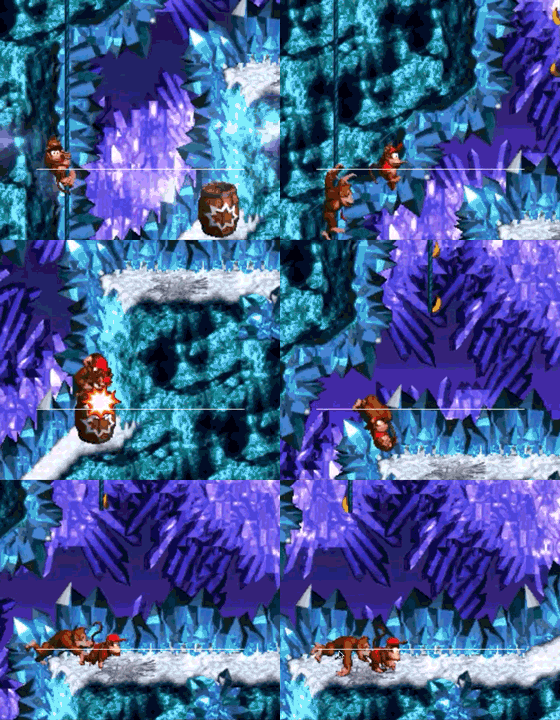
The most effective method I found for polish was the use of lerp smoothing and easing curves, this allowed me to maintain some snappiness to accompany the characters rapid movement
Lerping (Linear interpolation) allows the camera to smoothly and continuously reduce the distance between itself and the active player
Easing curves take that lerped camera movement and further smooth it out by applying an acceleration curve, these are used extensively across Arc Apellago
These methods rose to prominence with Donkey Kong Country, and have become standard practice for reducing jarring motions in games
-
Smoothing out the camera movement was probably the most constant back and forth battle for me. I would make an adjustment to account for a scenario one of our players ran into, only to find that my new fixes were now causing issues for a different player.
Crafting the perfect camera is a Sisyphean task (of which game development has many) you can work at it continually for weeks, months and still find areas you can improve - you need to improve. At some point though, you are going to run up against your own limitations and finally be forced to say those magic words ; “ship it.”
How do you create a camera that feels snappy, but smooth at the same time? One that reacts quickly, but isn’t disorienting? Something that’s responsive, but elegant and graceful?
This is the constant battle that you can run into from time to time as a designer, and ultimately ; its about finding the best balance you can for the kind of experience you’re creating. I could have spent another 3 months just working on improving the camera and still found areas I wanted to improve. But I had to weigh my priorities and realize that there was more value to players in improving the other parts of the experience than perfectly fine tuning a single system.
It’s all about working within your own limitations and creating the best thing you can with the time and resources you have available to you - but at some point you’ve got to call it a day and be happy with what you’ve been able to accomplish.

As the sole designer on the team, I was also tasked with developing all of the levels for Arc Apellago.
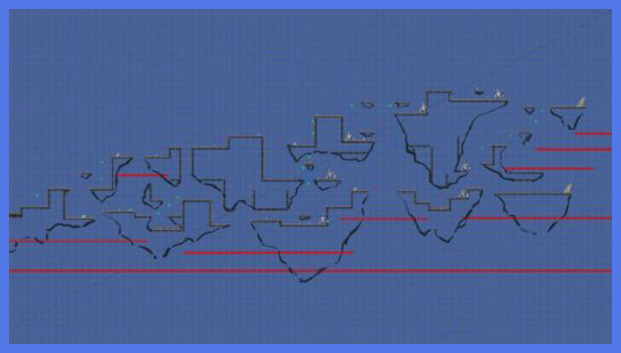
I don’t typically market myself as a Level Designer, so this was certainly a new challenge for me. I needed to create platforming layouts, enemy placements, and reward players for skillful play while not overly punishing new players.
I decided to allow the gameplay and camera work of Arc Apellago guide me, and allow my own gaming influences to inspire me in order to create something that enabled and accentuated the emotional experience I wanted to create in players.
By applying my own design-thinking and sensibilities to the process ; I was able to adapt to and accommodate the limitations of the core experience with levels that challenged and complemented players.
Level Design
-
Arc Apellago was my first serious attempt at designing levels for a shipped game. Level Design was something that I studied, but found the call of UX to be more appealing in the long run!
As a fast-paced action platformer, my immediate inspiration came from Sonic the Hedgehog - a series close to my heart since I can remember. Looking primarily at Sonic 2 on the Sega Genesis, the goal was always to run through as quickly as possible - skilled play was rewarded with a faster time at the end of the level. With this same goal in mind, I adopted a multiple-path format for Arc Apellago’s levels :
Each island presents the player with a platforming challenge and/or a combat challenge
If the player is able to overcome the challenge - they will be led to the ‘higher’ path
The higher path features increasingly difficult challenges, but provides the fastest route to the goal
If the player fails the challenge - they will be led/forced into the ‘lower’ path
The lower path features simpler challenges, allowing less skilled players to continue to progress, but taking a significantly longer time to complete the level
Failing a challenge does not lead to immediate death, as long as the player has hearts remaining
The gameplay and camera work I had done prior to this point had a major impact on the design of each level. Because I had spent so much time testing and refining these systems, I was intimately aware of their weaknesses. With this insight I was able to makeup for the lack of polish in certain areas by designing the levels specifically to avoid these weak spots (using specific distances and positions to not stress the camera, placing enemies in boost chains to mask simplicity of the combat, using verticality to emphasize the open-air feeling).
The problem with developing a great level is that you are essentially building an obstacle course with the sole purpose of highlighting your core gameplay. But if your core gameplay doesn’t feel great - you aren’t going to be able to makeup for it just because you have some interesting levels.